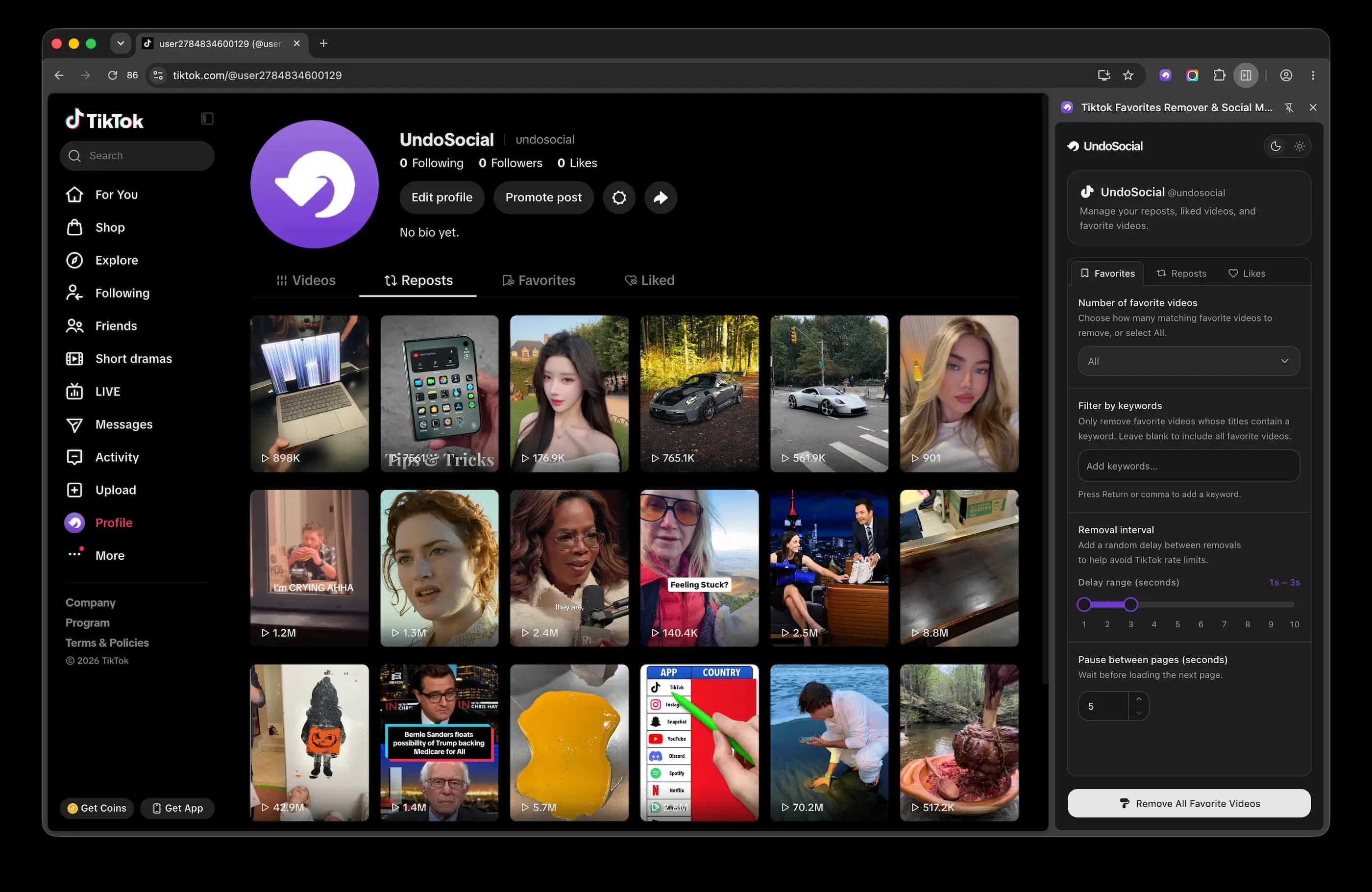
Clean Up Your Profile
Remove reposts, likes, messages, favorites, tweets, videos, and other activity from your social media accounts.
Bulk delete reposts, likes, messages, and more from your social media accounts. Clean up your profile faster without removing each item by hand.
Add to ChromeFast and secure. UndoSocial runs locally on your device and never stores your passwords.
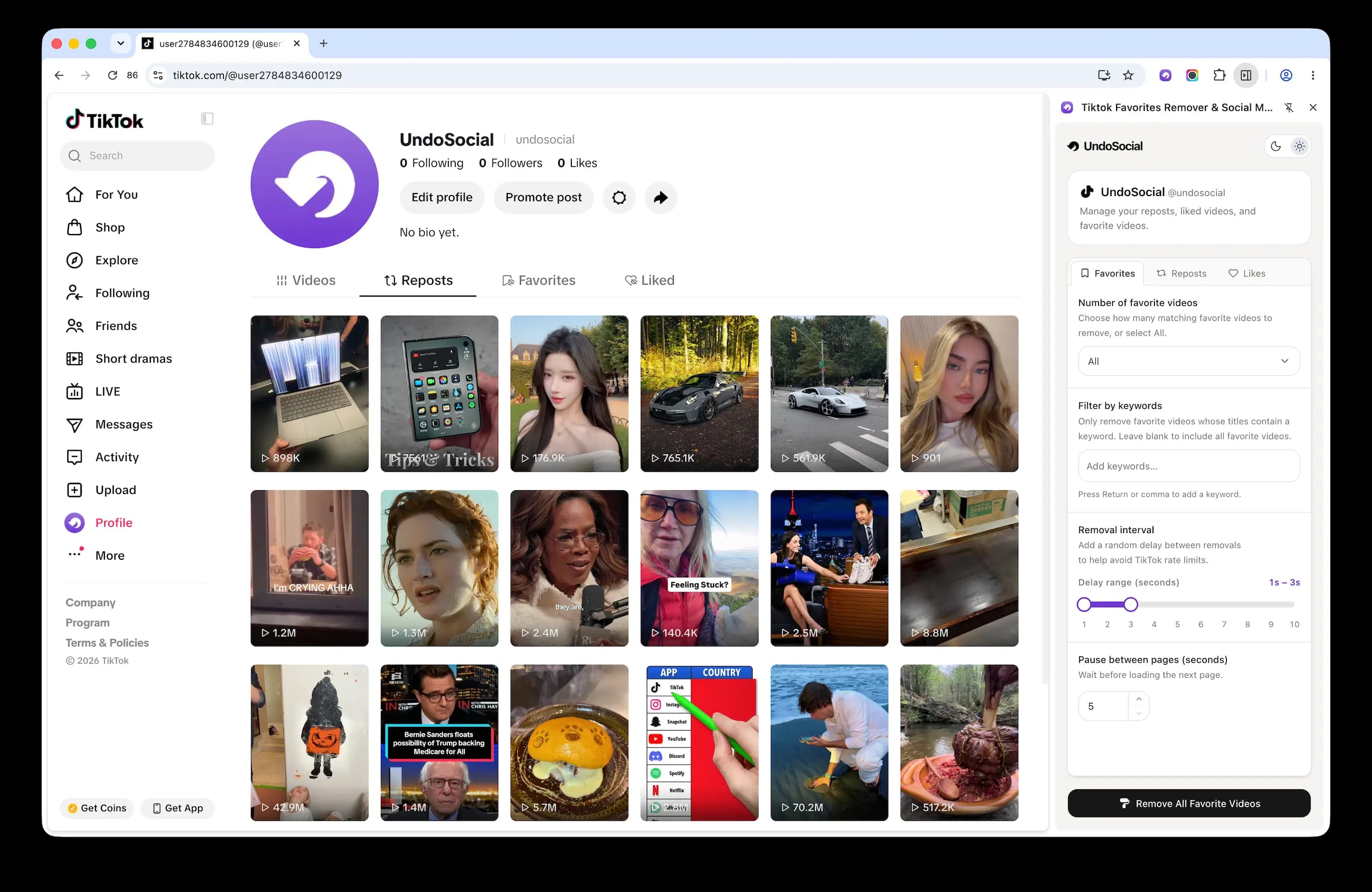
Mass delete your online activity with UndoSocial. Built with privacy in mind, it helps you remove unwanted content and account history while keeping every action in your browser.
Remove reposts, likes, messages, favorites, tweets, videos, and other activity from your social media accounts.
Clean up accounts on TikTok, Instagram, X (formerly Twitter), Facebook, Discord, and more.*
* UndoSocial works with TikTok. Support for Instagram, X, Facebook, Discord, and other platforms is still in development.
We use AI to automatically find the relevant removal labels and controls, simplifying the process and reducing errors.
Set an interval between removals to reduce the risk of rate limits and account restrictions.
Run the entire cleanup automatically without managing each removal yourself. Thousands of items can be processed in minutes.
Follow the cleanup in real time with progress updates and statistics. You can pause or stop the process at any time.
Every action runs inside your browser. UndoSocial never asks for your social media passwords.
UndoSocial works as an extension in your browser and handles the removal process automatically, so you don’t need to delete content one item at a time.
Open TikTok, Instagram, X, or another supported platform in your desktop browser and sign in to your account.
Choose the type of content you want to remove. You can also set the number of items, or adjust the removal interval etc.
Click Start to begin removing the selected content. Track the progress and removal statistics at any time.
Delete old posts and videos, undo reposts, remove likes, and clear saved items you no longer need.
Remove content without a daily limit, run cleanups faster, and get priority support.
Learn how UndoSocial removes social media activity, which platforms and browsers it supports, and what to expect during a cleanup.
UndoSocial is a browser extension that automatically removes reposts, messages, likes, favorite videos, and other social media activity in bulk. It uses AI to find the relevant controls and perform each action, while adjustable removal intervals help reduce the risk of rate limits and account restrictions.
You can choose how many items to remove, filter them by keyword, and set the interval between each removal. New features are under development and listed in the changelog as they become available.
UndoSocial doesn’t set a limit on the total number of items you can remove. Individual platforms such as TikTok and X may apply their own limits based on your account and activity.
Yes. The free plan lets you remove up to 100 items each day. Paid subscriptions provide higher removal allowances, including an unlimited option subject to platform limits.
UndoSocial currently supports TikTok. Support for Instagram, X, Facebook, Discord, Telegram, and other platforms is actively being developed.
UndoSocial can remove hundreds of items in minutes instead of requiring you to delete them individually. We recommend an interval of two to four seconds between removals to reduce the chance of triggering platform rate limits.
Yes. You can pause the process if you need a break and resume it when you’re ready. You can also stop the cleanup entirely at any time.
UndoSocial supports Chrome, Edge, and Firefox. Chrome receives priority support and is the recommended browser.
Yes, provided UndoSocial is enabled for private browsing and you’re signed in to the social media platform. The extension uses your active platform session to perform the selected removals.
No. You only need to install the UndoSocial browser extension. No separate desktop application or additional software is required.
Remove unwanted activity now in bulk with UndoSocial.
Add to Chrome







 UndoSocial